Prior to this task:
✔ Spotfire for Signals (item) must be opened.
✔ Data must be loaded.
| 1️⃣ Active page ➡ select Visualizations ➡ Canvas styling ➡ select Edit custom theme... | 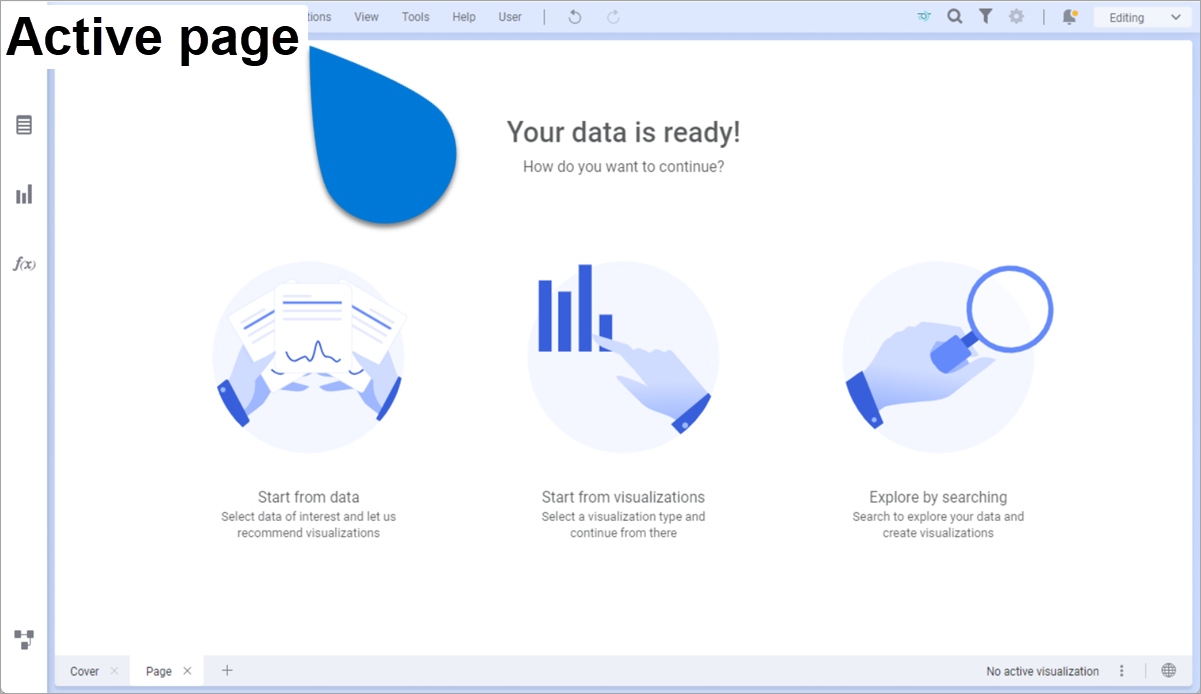 |
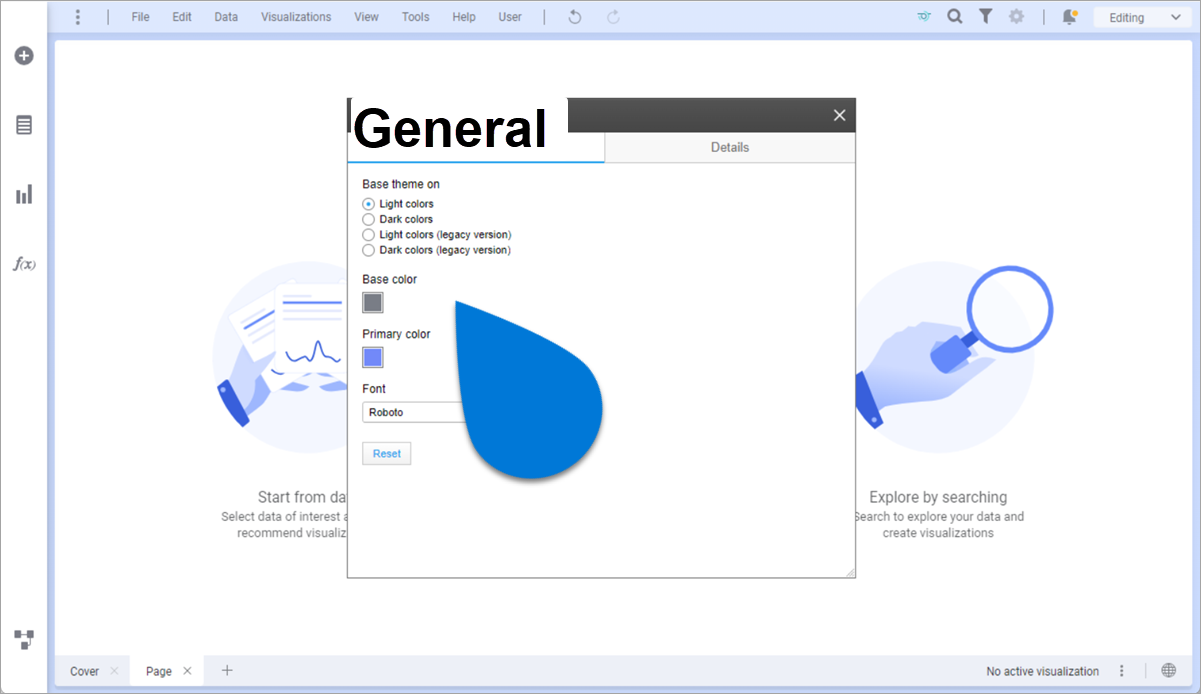
2️⃣ General tab ➡ select/modify - Base theme on
- Base color
- Primary color
- Font type and color
|  |
| 3️⃣ Edit custom theme window ➡ select Details | 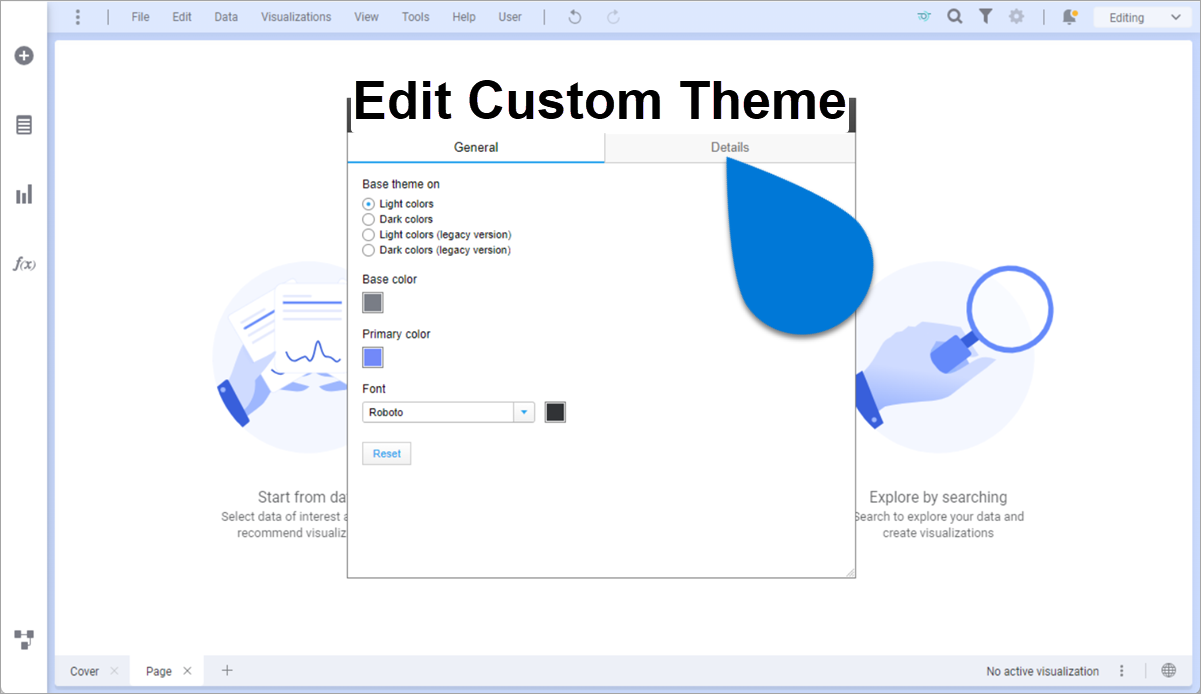 |
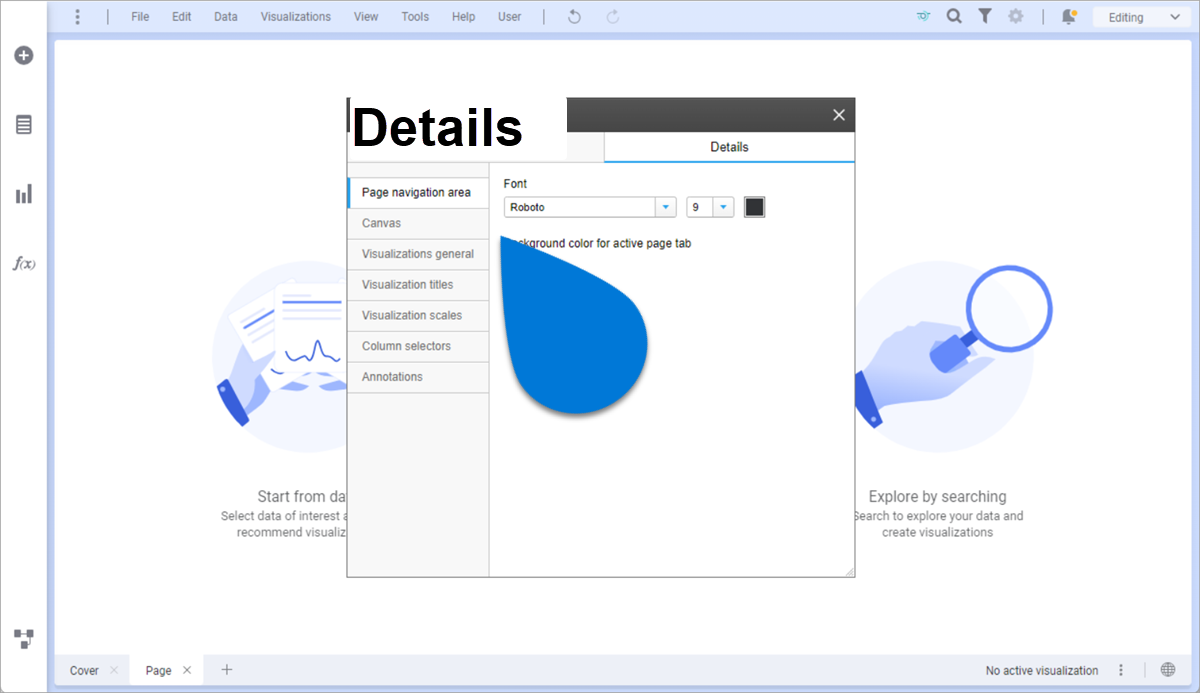
4️⃣ Details tab ➡ select/modify - Page navigation area
- Font type, size, color
- Background color for active tab
- Canvas
- Background
- Distance between visualizations
- Padding between visualizations and panels
- Visualizations general
- Font type, size, color
- Background
- Padding
- Borders
- Corner radius
- Visualization tittles
- Font type, size, color
- Background
- Margin
- Padding
- Borders
- Corner radius
- Visualization scales
- Font type, size, color
- Lines
- Tick marks
- Column selectors ➡ Font type, size, color
- Annotations ➡
- Font type, size, color
- Background
- Padding
- Borders
|  |
5️⃣ Edit custom theme window ➡ select  [Close] [Close] | 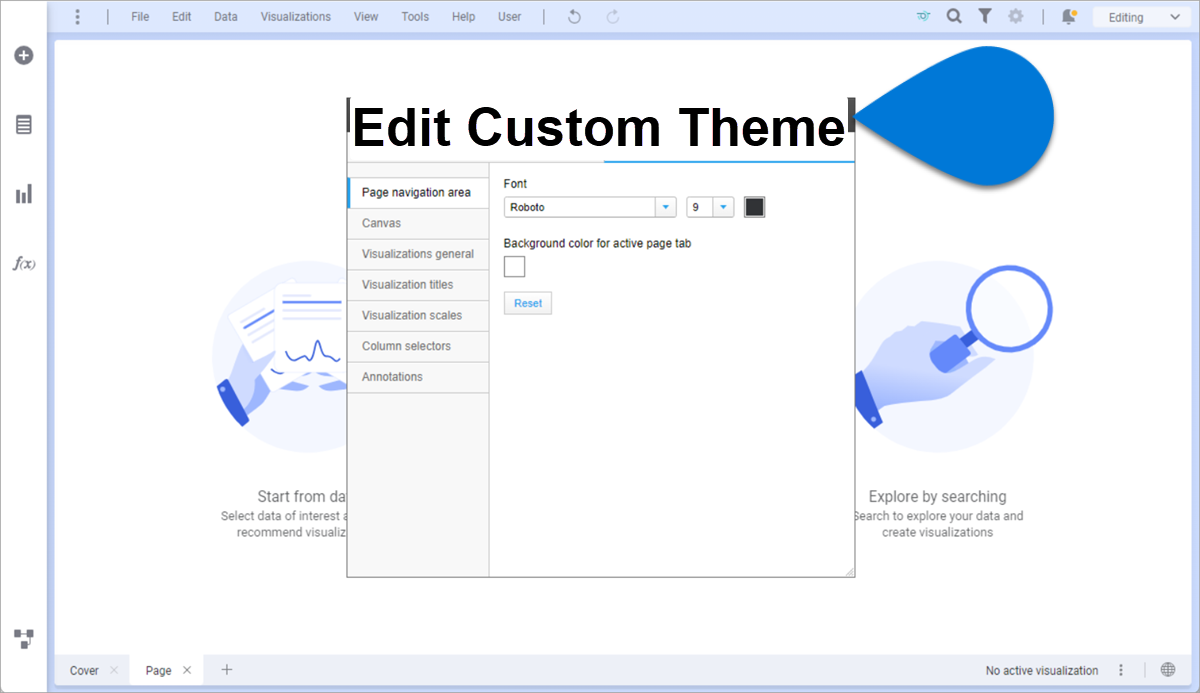 |
Supporting Knowledge
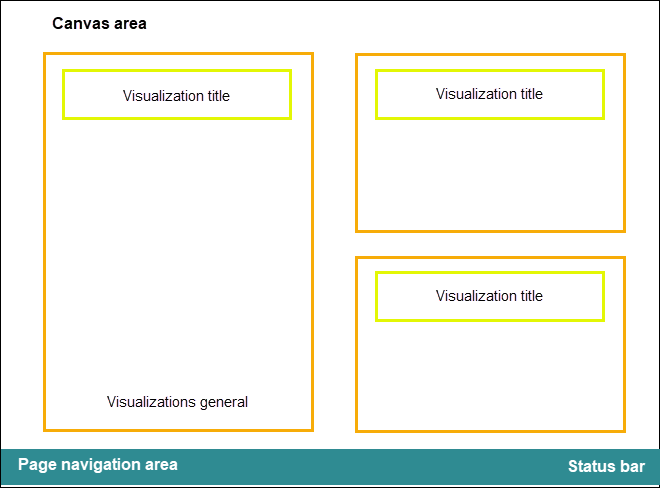
Use the illustration below as a guide for the different places of the user interface where the changes will be applied:

Comments
0 comments
Article is closed for comments.