
Issue Summary
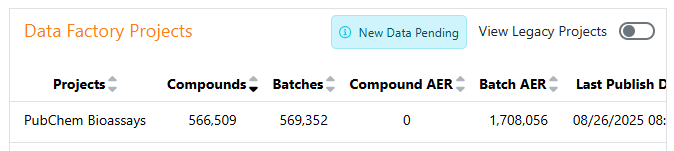
Users may encounter "New Data Pending" messages on their Inventa Dashboard, Global Search, or ISA tool.
Root Cause
This message appears when changes have been made to the information design, requiring a reindexing process to display newly published data.
Resolution Steps
- Navigate to SNConfig
- Select Data Factory
- Locate the measurement type that has been modified
- Execute the reindexing process*
- Wait for completion before checking the dashboard again
The "New data pending" message should disappear
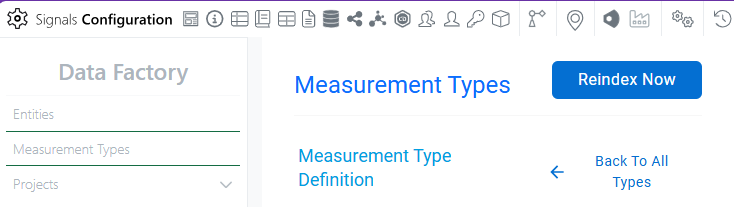
*Reindex Now button only shows up if one of the following changes in the Information Design has been made:
- Rename the measurement attribute already attached to a measurement type
- Modify attribute data type (to a non-breaking format)
- Add/modify/remove Global Search Org Hierarchy components (Assay Type, Biology Project, Assay Name)
- Add/modify/remove Attribute Category
- Add/modify/remove Endpoint Components (Name, Type, Value, Qualifier, Unit)
Comments
0 comments
Article is closed for comments.