
Description
Signals Notebook supports adding up to 20 custom HTTPS headers, including an Authorization header, to the following data sources:
- External Data Source
- External List Source
- External Chemical Source
Configuring a Basic Auth header
To use Basic Authentication on a data source:
- Generate a base64-encoded string of the form username:password (ensure there are no extra spaces or line breaks).
- In Signals, open the external data source (or list/chemical) configuration.
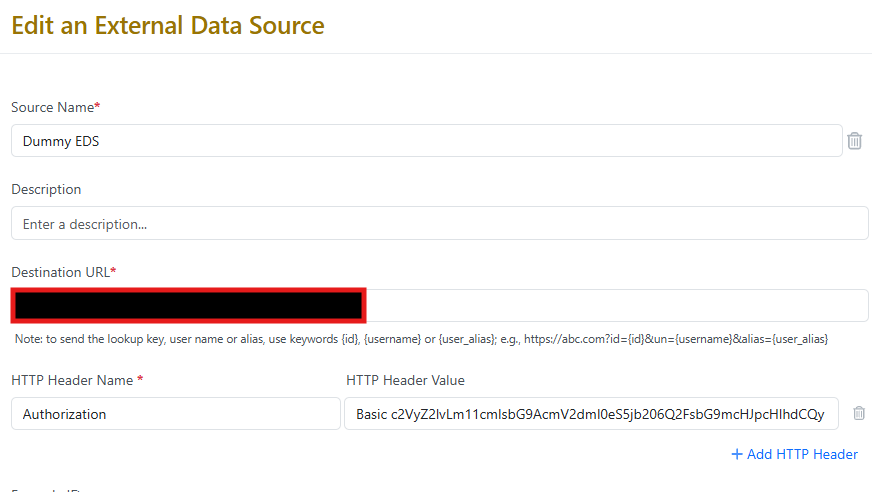
- Add a new header named Authorization with the value: Basic base64(username:password).
- The above would result in the value:
Basic dXNlcm5hbWU6cGFzc3dvcmQ=5. Save the configuration and test the connection to confirm the external service accepts the header.
Once configured, it would look similar to the following:
Notes
- Up to 20 static HTTPS headers are supported for each external data source.
- Ensure you use padded base64 encoding.
- Ensure the endpoint is accessed over HTTPS to protect credentials.
- Header values are static; rotate or update them by editing the data source configuration when needed.
Comments
0 comments
Article is closed for comments.